
Luna Corner Sofa
Sofas
Add to cartAI-POWERED READY-MADE SOFTWARE SOLUTIONS
Simple, Professional Management
Promote your business, increase your sales and manage your work online.
Set it up with your logo, colours and content. Use it under your own brand and domain name.
 Smart link & QR code
Give your customers one-tap access to the information they need.
 Online catalog
Present your products and services; receive requests and orders.
 QR menu, ordering and payment
From table to kitchen, from order to checkout in one flow.
 Event quotes and management
Every step in one place, from the first request to the final payment.
 Photo sharing and sales
Share event photos and receive photo and print orders.
 Photo selection and digital delivery
Your client selects their photos and adds notes; you deliver digitally.
Manage your membership, app plans, subscriptions, brand memory and CXR AI usage from one account centre. Your business details, logo, colours, products and content are kept in a shared brand memory, and the CXR apps use this shared information.
Each app is billed separately according to its own subscription or usage plan.
CXR account centre
Shared brand memory
Tell us about your business and get help from our specialists and advisors while you prepare your app. Let your own assistant welcome your customers and answer their questions with your brand’s information.

Before you start
Tell us what you need, and let’s work out together which CXR app to start with.
For you and your team
Get help with content, setup and day-to-day use while you prepare your app.
Arranges your social media, contact, location and Google review links on one page and prepares your request form.
Sample conversation
You: I want my contact details and Instagram account on one page.
Linke specialist: Let’s add your phone, WhatsApp, location and Instagram link, with a short request form below.
Sorts your products and services into categories, writes their descriptions and decides with you whether to show prices and offer quotes.
Sample conversation
You: I want to show my shoot packages without prices and receive quote requests.
Catalog specialist: Let’s group your packages, hide the prices and add a quote request option to each package.
Turns your services into quote items and prepares the questions for your event details form with you.
Sample conversation
You: What should I ask on my wedding request form?
Eventix specialist: Let’s start with the date, number of guests, venue and service preferences, and build your quote on that.
Answers your questions about gallery and album sharing, finding photos with a selfie and print orders.
Sample conversation
You: How will guests find their own photos?
Momento advisor: Guests who wish can use a selfie to find the photos they appear in; the gallery also opens without this feature.
Explains how to use Selecto for selection limits, editing notes, digital delivery and payment tracking.
Sample conversation
You: My client will select 40 photos for the album. How do I set this up?
Selecto advisor: Let’s set the selection limit to 40; your client selects and adds notes. We open downloads at delivery.
For your customers
It answers your customers’ questions using the information you share about your business, products and services, and points them to the relevant page, product or request form.
Its name, personality and look can be set to match your brand.
Sample brand assistant
 LinaLuna Furniture
Customer: Where can I see this sofa’s dimensions and colour options?
Lina: You can see the dimensions and colour options on the product page. View the product →
Choose the app that fits your needs and see how you can use it in your business.
Smart link & QR code
Bring your contact details, social media accounts and portfolio together on one page. Share it as a link, a smart QR code or an NFC card, and make it easier for customers to reach you and send requests.
Smart QR stand and NFC card
For sharing your Linke page on the counter, at the table or on your business card. Requests and prices: hello@cxr.app
Online catalog
Present your products and services with photos, videos and descriptions. Show or hide prices; receive information and quote requests through a form and orders through a cart.
Three ways to use it
QR menu, ordering and payment
Guests scan the QR code on their table to open the menu and order. Manage orders from the table and from online on the kitchen, waiter and checkout screens.
Also selling through delivery platforms such as Lieferando, Uber Eats or Wolt? Menux runs your table orders, kitchen and checkout alongside them.
Event quotes and management
Receive event requests and prepare customer-specific digital quotes. Turn accepted quotes into reservations in your calendar, and track deposits and remaining payments on one screen.
For wedding venues, event businesses and teams providing private or corporate event services.
Photo sharing and sales
Share event photos in galleries and albums. Manage digital photo and print orders on one platform, and collect your guests’ photos, videos and messages at the same event.
Find your photos with a selfie
Guests and attendees can use face recognition to find the photos they appear in.
Photo selection and digital delivery
Your client selects their photos and adds editing notes. Manage the process from selection to approval and digital delivery, together with deposits, remaining payments and notifications.
Choose your industry and see app suggestions for your business.
Corporate businesses
Start with
Bring your company contact details, social media accounts and request forms together in one link; share it with a QR code or NFC card.
Try for freeYou can also use
Cafes and restaurants
Start with
Take orders through table-specific QR menus and manage kitchen, waiter and checkout workflows together with online orders in one system.
Try for freeYou can also use
Event planning and organization
Start with
Turn incoming requests into quotes and accepted quotes into reservations; track deposits and remaining payments in the same place.
Try for freeYou can also use
Photography and media
Start with
Your clients select their photos and add notes; you follow everything from selection to digital delivery and payment tracking on one screen.
Try for freeYou can also use
Wholesale and dealerships
Start with
Prepare catalogs for your dealers; receive quote and order requests based on the selected products.
Try for freeYou can also use
Beauty and cosmetics
Start with
Bring your service list, location, WhatsApp line and request form together in one link; direct your customers to Google reviews.
Try for freeYou can also use
Furniture and decor
Start with
Show your collections with size, colour and material options; receive quote requests for the products people are interested in.
Try for freeYou can also use
Retail and e‑commerce
Start with
Showcase your products with categories, photos and options; show or hide prices and take orders with a cart.
Try for freeYou can also use
Manufacturing and industry
Start with
Present your product lines with technical details, photos and options; receive quote requests for the selected products.
Try for freeYou can also use
Real estate
Start with
Share your portfolio links, contact channels and request form on one page, reachable through QR codes on your signs.
Try for freeYou can also use
Car dealerships and automotive
Start with
List your vehicles with photos, videos and features; show or hide the price and receive requests from interested customers.
Try for freeYou can also use
Education and academies
Start with
Share your programmes, contact details and application form on one page; point people to it with a QR code in your announcements.
Try for freeYou can also use
Tourism and accommodation
Start with
Share your location, WhatsApp, contact and social media links with your guests on one page and point them to Google reviews.
Try for freeYou can also use
Textile and fashion
Start with
Present your seasonal collections with sizes, colours and photos; collect order requests for the selected products.
Try for freeYou can also use
Health and services
Start with
Present your contact details, location and request form on one page your clients can find easily; update the same link when details change.
Try for freeYou can also use
Construction and contracting
Start with
Describe your projects and service items with visuals and collect quote requests as needed.
Try for freeYou can also use
Distribution and supply
Start with
Organize your product range with categories and options; let your customers request quotes for the products they select.
Try for freeYou can also use
Logistics and transportation
Start with
Bring your services, contact channels and quote request form together in one link; share it with a QR code on your vehicles and documents.
Try for freeYou can also use
Set it up with your logo, colours and content, and publish it under your own domain name.
Update your products, prices and content; follow requests and orders from your phone or computer.
Let your customers find information, send requests or place orders on your pages.
Domain connection and appearance options vary by app.
Use your dashboard in English, German or Turkish and choose the publishing language of your pages separately.
Public pages published with Linke, Catalog, Menux and Eventix present your business information, products and services in clear text, in a structure that search engines and AI-supported search systems can read.
Rankings and appearing in AI answers are not guaranteed. Private galleries and closed workspaces are outside this scope.
Choose the app you need. Each app is billed separately according to its own subscription or usage plan.
Smart link & QR code
7 days freeFor pricing in this currency, write to hello@cxr.app.
Try for freeOnline catalog
7 days freeFor pricing in this currency, write to hello@cxr.app.
Try for freeQR menu, ordering and payment
7 days freeFor pricing in this currency, write to hello@cxr.app.
Try for freeEvent quotes and management
7 days freePhoto sharing and sales
7 days freeUsed with event packages.
Packages from $12
Try for freePhoto selection and digital delivery
7 days freeFor pricing in this currency, write to hello@cxr.app.
Try for freeYou can prepare your app with your own content and get help from our specialists and advisors. If you would rather leave the setup to our team, buy the setup package for your app.
With your subscription, 1,000 free CXR AI credits are assigned every month. For more usage, you can use additional credit packs.
Smart link & QR code
7 days freeOptional setup: €90
Try for freeOnline catalog
7 days freeOptional setup: €140
Try for freeQR menu, ordering and payment
7 days freeFor pricing in this currency, write to hello@cxr.app.
Try for freeEvent quotes and management
7 days freePhoto sharing and sales
7 days freeUsed with event packages.
Packages from €10
Try for freePhoto selection and digital delivery
7 days free6 plans
Try for freeYou can prepare your app with your own content and get help from our specialists and advisors. If you would rather leave the setup to our team, buy the setup package for your app.
Setup packages for the other apps are not on sale yet.
With your subscription, 1,000 free CXR AI credits are assigned every month. For more usage, you can use additional credit packs.
Additional credit packs
Prices include 19% VAT where applicable. The final amount is confirmed before you buy, based on your billing country. CXR subscription, package and setup fees for the English-language service are charged by Visual Memory Works GmbH using Stripe.
Payments your business receives from its own customers are a separate process from CXR fees.
Free start
No credit card required; during the trial you can explore all features of the app.
CXR App is a platform of AI-powered, ready-made web apps that businesses use under their own brand and domain name.
Each app can be used on its own. You start with the app you need and move on to the others with the same CXR account. CXR App is offered under the Connexoria umbrella; company details are in the Legal notice.
Businesses of any size that offer products or services and communicate with their customers online — from shops and restaurants to studios, event venues and corporate companies.
Guides and use cases to improve your business’s digital communication, sales and day-to-day processes.
Sales and customer communication
Bring the contact details and links your customers look for together on a single page.
Digital transformation
How can you choose a catalog method for products and prices that keep changing?
Photography and events
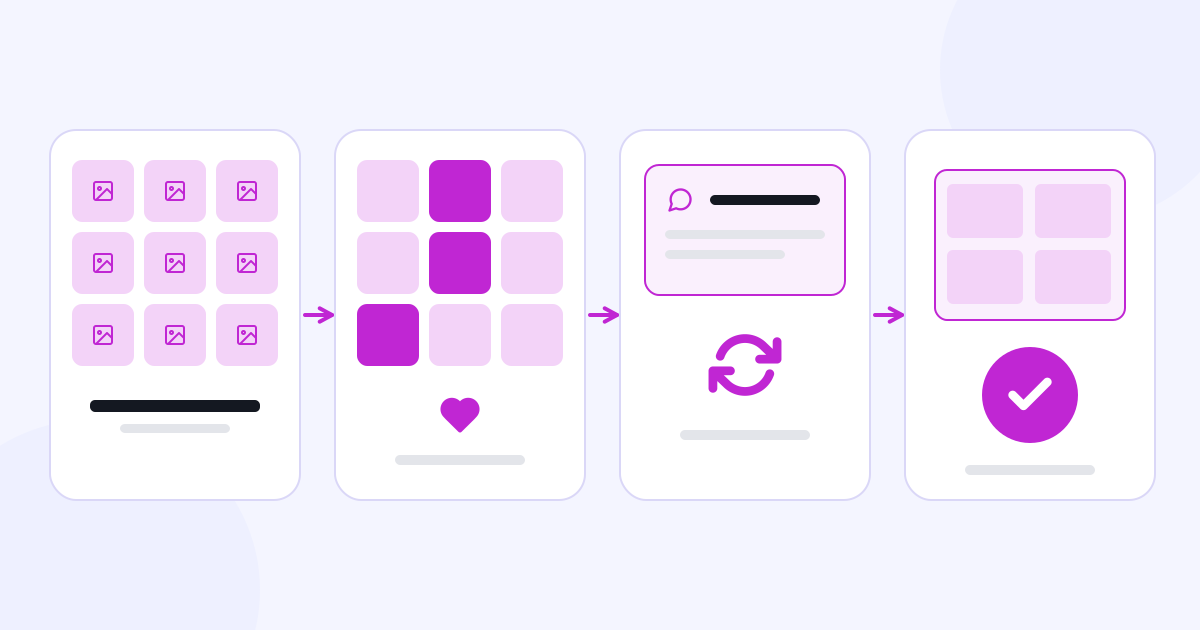
Organize the selection, note, revision and approval steps between the photographer and the client.
CXR App offers ready-made apps for presenting your business, catalogs, QR menus and ordering, event quotes and management, event photo sharing and photo selection. You can start with the app you need and use the others with the same CXR account.
Sign up with just your email address. Each CXR app has its own 7-day free trial, during which you can explore all features of that app. No credit card is required.
No. All apps are used with one CXR account; you log in and sign up at cxr.app. You manage your apps, trials, subscriptions and plans in the same account.
No. Each app is billed separately according to its own subscription or usage plan. You can start with just the app you need; you don’t have to buy the others.
With your subscription, 1,000 free CXR AI credits are assigned every month. For more usage, you can use additional credit packs.
You can use the apps with a monthly or yearly subscription; Momento is used with event packages. With a yearly subscription, the yearly amount is charged in one payment at the start of the period. Setup is optional and billed separately from the subscription. Current plans are shown in the Plans and pricing section of this page and in your account.
For the English- and German-language service, subscription, package and setup fees are charged by Visual Memory Works GmbH using Stripe. The provider of the Turkish-language service is Hayat Grup Reklam A.Ş. The relevant provider and the available payment methods are shown before you buy. No credit card is required for the 7-day free trial.
Yes. Our satisfaction-based refund approach applies to all Linke, Catalog, Menux, Eventix, Momento and Selecto subscriptions. If you are not satisfied with your subscription, you can submit your refund request through the Support section or at support@cxr.app; refund requests due to dissatisfaction are accepted.
Cancelling a subscription stops renewal for the next period. You can submit cancellation, withdrawal and refund requests through the Support section or at support@cxr.app; a refund is requested separately. Provisions on your statutory rights remain reserved; details are in the Subscription, Renewal, Cancellation and Refund Policy under Legal information.
Yes. In Catalog you can present your services with descriptions and images. You can show prices or receive information and quote requests from your customers.
Yes. You can prepare your logo, colours, business information and content yourself and get help from a product specialist or advisor. If you would rather leave the setup to our team, you can buy the setup package.
Yes. You can build your pages with your logo, colours and business information and publish them with your own domain name. Domain connection and appearance options depend on the app you use.
No. You access CXR apps from the browser on your phone or computer, and you can update your content from your phone.
No. While using your dashboard in English, German or Turkish, you can choose the publishing language separately. The language you use with the AI and the language of your content can also differ.
Product specialists and advisors work with you and your team while you prepare your app and content. The brand assistant uses the brand information you share to answer your customers’ questions and direct them to the relevant links. Both draw on the same shared brand memory.
Your brand assistant uses your CXR AI credits. If the free credits assigned every month with your subscription are not enough, you can use additional credit packs.
Accepting online payments from your customers by connecting your own payment account is being developed for Catalog, Menux, Eventix, Momento and Selecto and will be announced when it becomes available. In these sales you are the seller; cancellations and refunds follow your own terms of sale and are separate from paying for your CXR subscription.
Public pages published with Linke, Catalog, Menux and Eventix are built in a structure that search systems can read. Public business information, product and service descriptions and FAQs support being found, but rankings and appearing in AI answers are not guaranteed. Private galleries and closed workspaces are outside this scope.
Yes. The industry list is for starting recommendations. You can choose apps according to your business’s needs and use them for your presentation, catalog, ordering, event or photo workflows.
The Legal notice link at the bottom of the page shows the company information; the Legal information link opens the document groups for use, privacy, payment and more.
Write to us about our apps, sales, partnerships and setup requests.
Write to us for technical support with your account, your existing order or the app you use, to cancel your subscription, or to submit a withdrawal or refund request.
Orders, quote requests, photos or selections you submitted in a business’s CXR app are handled by that business; please contact the business directly about them.
AI · Always on