What is a smart link? How do you bring business links together on one page?
Bring the contact details and links your customers look for together on a single page.
What need does a smart link meet?
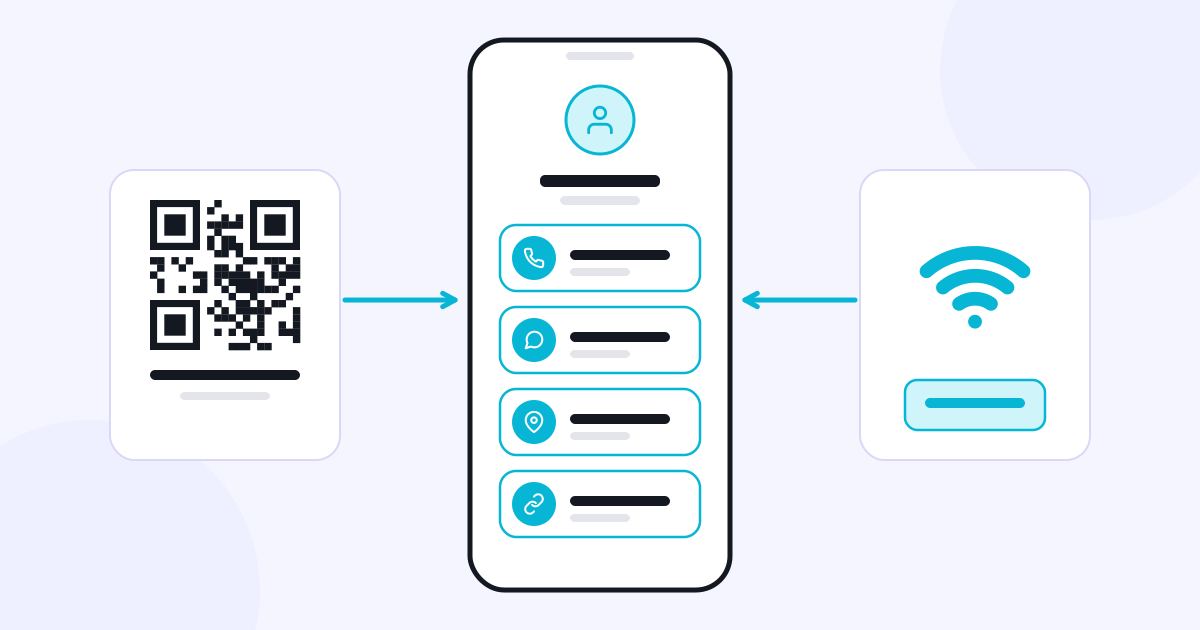
A smart link is a link that brings your business’s contact details and different digital channels together on a single page. Instead of searching separately for your phone number, WhatsApp account, location or social media profile, your customer goes to the channel they want from the same page.
This need is not limited to social media profiles. A customer may pick up your business card, scan the QR code in your store or tap a link you sent over WhatsApp. When these different starting points all lead to the same up-to-date business page, sharing information becomes more organized.
What information goes on the page?
First, decide which information your customers need most often. For a photo studio, phone, WhatsApp, portfolio, location and a request form may come first. For a consulting business, service information and a meeting request may matter more. Instead of giving every link equal weight, arrange them according to your business’s real customer flow.
Linke is the CXR app used to bring this information together on a page that belongs to your business. Social media accounts, contact details, photos and videos, a Google review link and different enquiry forms can all be reached from the same page.
You can also link to a catalog prepared in another application. Catalog, on the other hand, is a separate app for organizing products and services as an online catalog; adding a catalog link to a Linke page does not combine the two subscriptions.
What is the difference between a link, a QR code and NFC?
A link is shared in digital messages and on social media profiles. A QR code takes someone from a printed surface to the same page with a camera. An NFC card or NFC area can open the link when a supporting phone is held near it. These are different ways of reaching the same page.
A business can use them together: the link in its profile, the QR stand on the counter and the NFC card shared in a meeting can all lead to the same Linke page.
Check before you publish
Open the phone and WhatsApp links on a real device. Check that the location points to your business’s entrance. Remove old social media accounts. Keep the most important link near the top of the page. When your business details change, update the page too.
The value of a smart link is that the customer reaches the information they need by a short path. Explore Linke’s features.